Digital Wellbeing Free Course Part 6: How to Handle Notifications Strategically to Avoid Increased Stress Levels
PREVIOUS PART:
You can check out the previous part of our course here:
Part 5: How to Consume News Intentionally Without Developing Anxiety and Feeling Overwhelmed
This is Part 6. of our free online course about digital wellbeing.

You’re in the middle of focused work when your phone vibrates. A message pops up on your laptop. A red badge appears in the corner of an app. You tell yourself you’ll ignore it - but part of your attention is already gone. Even if you don’t check it immediately, a small portion of your mind is now occupied with the question: Who needs me? What happened? Is this important?
In today’s digital world, notifications are not neutral. They are micro-interruptions that fragment attention, elevate stress, and subtly condition us to stay in a state of low-level alertness. It’s rarely the device itself that exhausts us - it’s the constant demand for reaction.
The good news is this: you don’t need to disconnect from modern life to reduce this stress. You simply need to redesign your notification system so it serves your priorities instead of hijacking them. When handled strategically, alerts, messages, and emails can coexist with calm focus and intentional living.
How Constant Notifications Affect Your Brain and Stress Levels
Every notification forces a context switch. Even if it takes only a few seconds to glance at your phone, your brain must disengage from one mental task and reorient to another. Research on attention shows that these switches create what’s known as “attention residue,” meaning part of your mind remains stuck on the interruption even after you return to your original task. Over time, these micro-disruptions accumulate and degrade your ability to think deeply.
Notifications also activate your stress response. The sound or vibration of an alert can trigger a mild fight-or-flight reaction, especially when you don’t know what it contains. Your brain interprets uncertainty as potential threat, releasing stress hormones like cortisol. This response may be small, but when repeated dozens or hundreds of times per day, it keeps your nervous system in a semi-activated state. That low-level hypervigilance is exhausting.
There is also a psychological component. Notifications often operate on variable rewards - you don’t know whether the message will be meaningful, exciting, stressful, or trivial. That unpredictability increases compulsive checking behavior. Your brain seeks closure, and until you check the alert, a subtle tension remains. This creates a loop: notification → anticipation → checking → temporary relief → repeat.
Over time, you begin to internalize the role of being “always available.” You feel responsible for immediate responses. You measure your responsiveness as a sign of productivity or social belonging. Without noticing it, you lose a sense of psychological boundary between your time and everyone else’s demands.
The real issue isn’t the volume of notifications. It’s the lack of intentional control over them.
Why We’re Afraid to Turn Notifications Off
If notifications are so stressful, why don’t we simply disable them? The answer lies in fear. Many people worry they will miss something important, damage professional relationships, or appear unresponsive. Others fear social consequences or experience FOMO - the fear that something interesting or valuable is happening without them.
There is also a comfort element. Checking notifications provides small hits of connection and stimulation. Even when the content is trivial, it reinforces a sense of being needed or included. Turning off notifications can initially feel like stepping away from relevance.
However, most notifications are neither urgent nor essential. We overestimate the likelihood of emergencies and underestimate our ability to create systems that filter what truly matters. Strategic notification management is not about disconnection; it’s about filtration. It’s about designing your digital environment so that it supports your priorities instead of constantly overriding them.
The 4-Level Notification Audit
To regain control, you need a structured approach. A simple four-level audit can help you determine what deserves your attention and what does not.
1. Categorize by Urgency and Importance
Start by dividing your notifications into four categories:
- Critical and time-sensitive (family emergencies, urgent calls from key colleagues)
- Important but not urgent (emails, project updates)
- Informational (delivery updates, calendar reminders)
- Noise (social likes, promotional alerts, random app suggestions)
Be honest with yourself during this process. Most alerts fall into the “informational” or “noise” category. Very few are genuinely critical.
2. Make “Off” the Default
Notifications should be opt-in, not opt-out. Instead of leaving everything enabled and selectively disabling a few apps, reverse the logic. Turn off all non-essential notifications and then consciously choose which ones deserve access to your attention. Remove badge icons from social apps, disable promotional alerts, and silence non-urgent updates.
This single shift dramatically reduces cognitive load. You no longer need to constantly evaluate whether each ping deserves attention, because most of them won’t exist.
3. Create Controlled Check-In Windows
Rather than reacting throughout the day, schedule intentional check-in times. For example:
- Check email two or three times per day.
- Review messages during designated breaks.
- Process non-urgent notifications in batches.
This transforms you from reactive to proactive. You are no longer responding on demand; you are choosing when to engage. Responsiveness is not the same as productivity, and constant availability rarely produces meaningful results.
4. Separate Communication Channels
If possible, create distinctions between levels of importance. Assign unique sounds to critical contacts, use “favorites” lists for key people, or enable Do Not Disturb mode with specific exceptions. This reduces mental scanning and eliminates the need to constantly wonder whether a notification might be urgent.
The goal is clarity. When something truly matters, you’ll know. Everything else can wait.
How to Handle Specific Notification Types
Different categories of alerts require slightly different strategies. Handling them individually makes the process less overwhelming.
Email Notifications
Email is rarely urgent, yet many people allow it to interrupt them all day. Turn off push notifications and disable lock-screen previews. Instead, batch process emails at designated times. Use filters and labels to automatically sort incoming messages, and unsubscribe aggressively from newsletters or promotional content you no longer read.
Email should be a tool you open intentionally, not a faucet dripping into your day.
Messaging Apps
Messaging apps can blur the line between urgent and trivial. Mute group chats that generate constant noise, archive low-priority threads, and communicate clearly about your response times. Most conversations do not require instant replies. When expectations are managed, stress decreases significantly.
Social Media Alerts
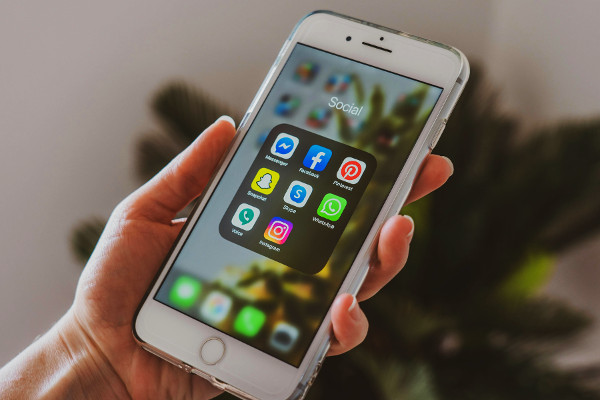
Social media platforms are designed to pull you back repeatedly. Disable all non-direct-message alerts and remove red badge icons. Likes, comments, and follower updates do not require immediate awareness. You can check them intentionally during your planned social media time.
News Alerts
Breaking news notifications create a constant sense of urgency, even when the information has no direct impact on your life. Turn off push alerts and consume news at scheduled times instead. This reduces anxiety and prevents you from being pulled into reactive scrolling throughout the day.
App and Promotional Notifications
Retail apps, games, and productivity tools often send promotional or engagement-driven notifications. In most cases, these are unnecessary. Make it a rule: if an app’s notification does not clearly improve your life, disable it.
Turning Off Notifications Without Missing Anything Important
The biggest barrier to change is the fear of missing something critical. But in reality, true emergencies escalate. Important people will call again. Close family members can be placed on an allowed list that bypasses Do Not Disturb settings. Many devices also allow repeated calls to override silence settings.
You can also set expectations in professional environments. Let colleagues know you check email at specific times. Use auto-replies during focus blocks if necessary. Most workplaces respect clear communication more than constant, distracted responsiveness.
Remember this principle: if everything feels urgent, nothing truly is. By filtering noise, you make space to recognize what genuinely matters.
From Reactive to Intentional
Notifications train reactivity. They teach your brain to prioritize interruption over intention. When your environment constantly demands attention, it becomes difficult to cultivate depth, presence, or calm.
Silence, on the other hand, creates psychological space. A quieter device often leads to a calmer nervous system. You begin to notice that much of what felt urgent was simply habitual. With fewer interruptions, your thinking becomes clearer and your time feels more expansive.
Digital wellbeing is not about rejecting technology. It is about redesigning it to align with your values. When you control your notifications instead of letting them control you, you reclaim attention - the most valuable resource in a noisy, hyperconnected world.
A 7-Day Notification Reset
If you want to implement this gradually, try a simple reset:
- Day 1: Turn off all non-essential notifications.
- Day 2: Remove social media badge icons.
- Day 3: Mute group chats.
- Day 4: Disable email push notifications.
- Day 5: Establish defined check-in windows.
- Day 6: Activate Do Not Disturb during deep work.
- Day 7: Reflect on changes in stress and focus.
Ask yourself: Did anything catastrophic happen? Or did you simply feel calmer and more in control? Most people discover that the world continues to function perfectly well without their immediate reaction to every alert. And in that realization lies freedom - the freedom to live and work intentionally, even in a world that never stops pinging.
NEXT PART:
Now check out the next part of our course here:
Part 7: How to Use Social Media Without Ruining Your Attention Span >>